The Subtext
There is a quiet theme in play here.
1. Markup can be used in simplified ways for personal projects.
2. A formal data model can be used in an implicit , simplified way for personal projects.
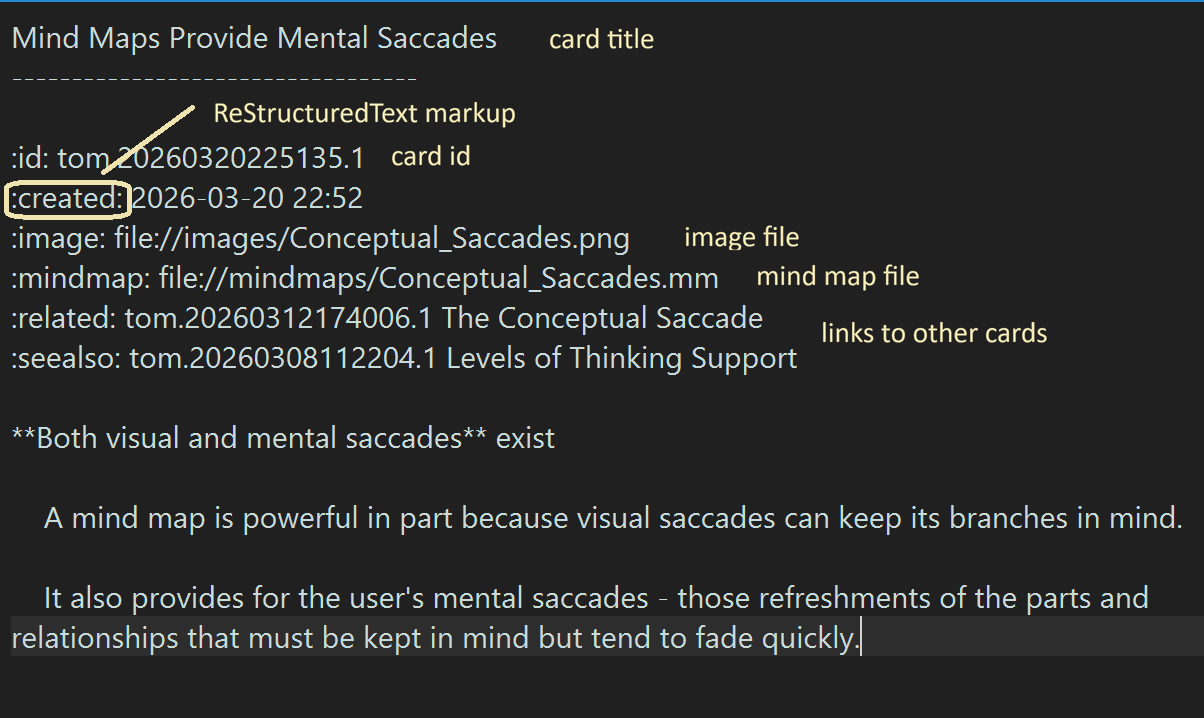
Markup is not used for document interchange but to provide just enough structure for easy reading, typing, and parsing.
A Topic Maps data model underlies the design but is implicit, not explicit.
In the Generation-1 ancestor, the Topic Map model was
explicit. Leaving it implicit simplifies the user's life and the
programming
both
The current implementation is Gen-3. These generations span some 20 years.
When the design is simple and intuitive, the user can be gently guided to do the right thing.
Slide 4 of
19
What Is A Zettelkasten, Anyway?
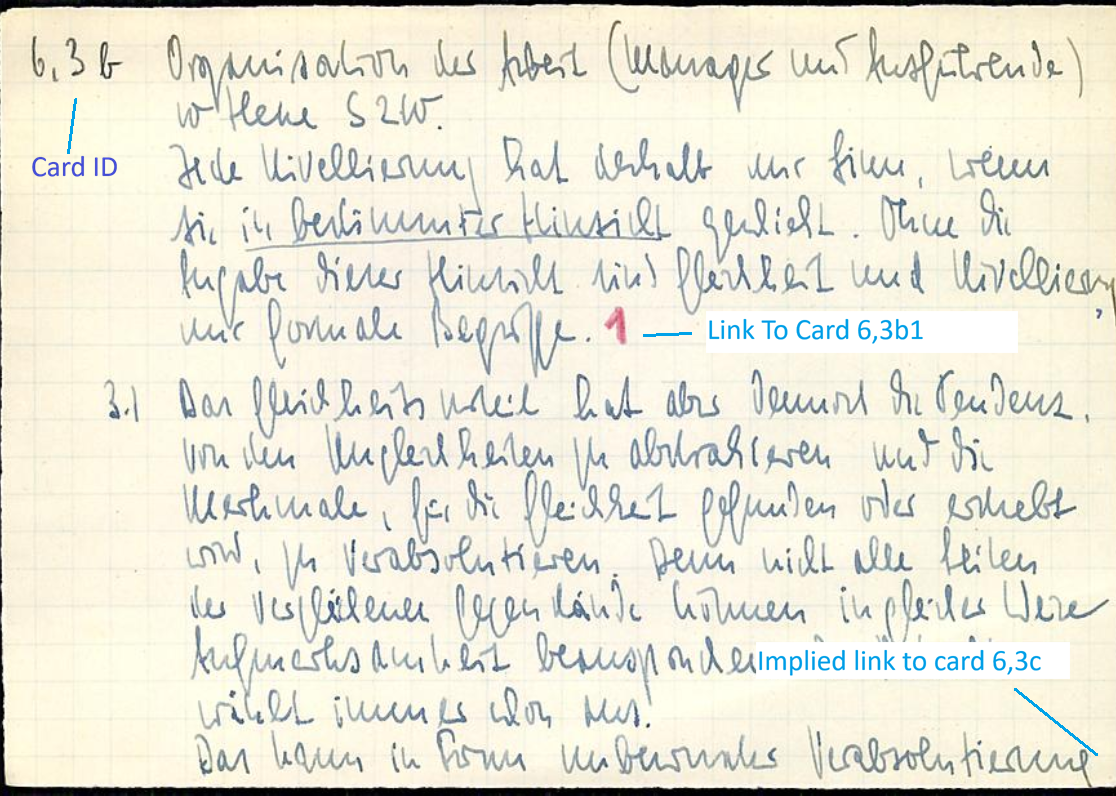
- Zettel: German for slip (of paper), index card.
- Zettelkasten slip case, card case, index card case.
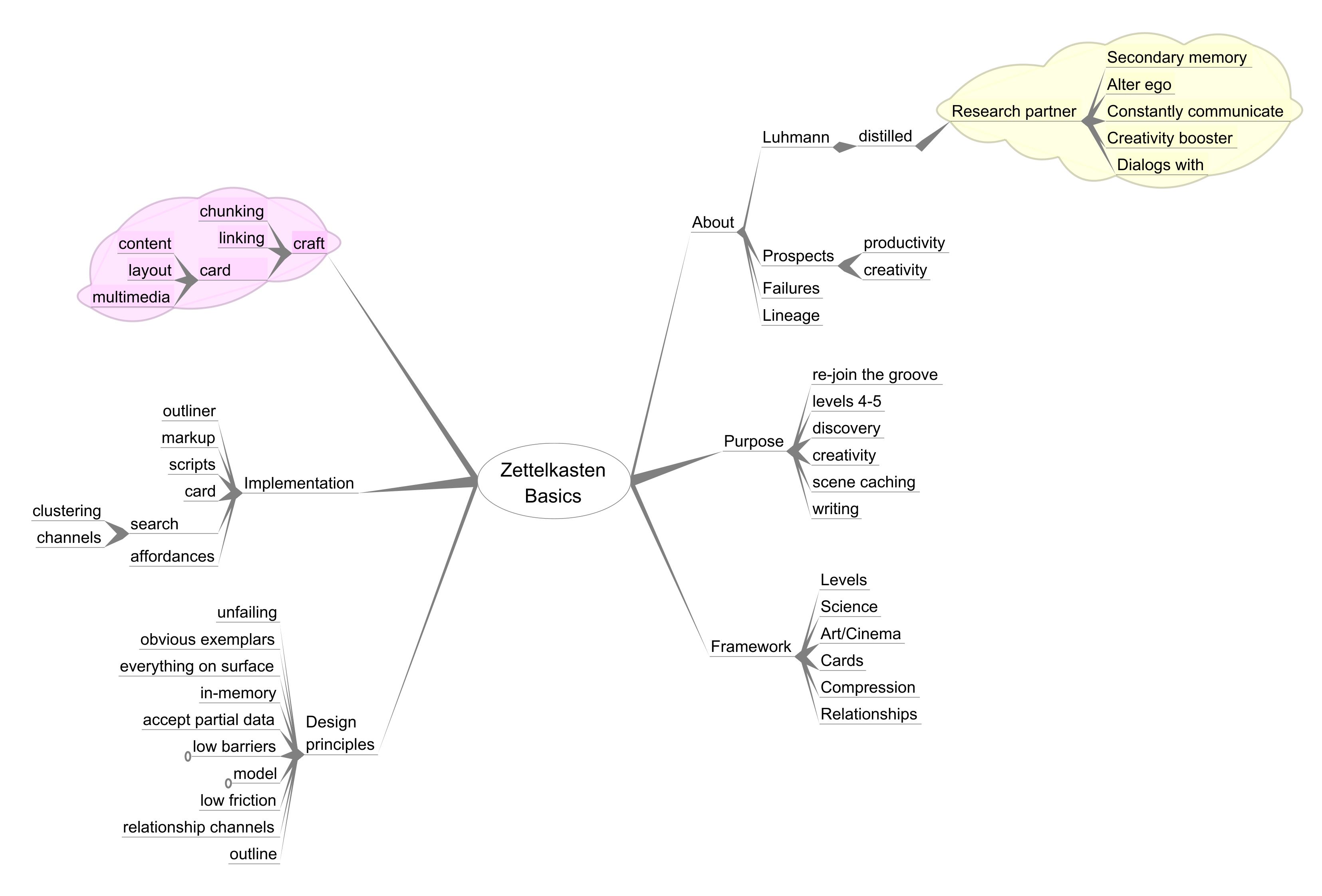
- Specifically here: a system of thoughtfully written note cards (slips) linked in particular ways, devised by Niklaus Luhmann
(a very prolific and creative social scientist)
Luhmann found that in time, his own collection came to surprise him with unexpected connections and ideas. It came to feel
like a research partner, an alter ego, a research assistant. This, he wrote, led to his great productivity.
Today we would call such behavior "emergent".
Luhmann wrote that Thinking requires making distinctions and writing. He used his Zettelkasten to support in these activities.
Luhmann saw his system as a way to aid his writing, which in turn clarified and refined his thinking.
We can use a mix of Topic Maps, cognitive science, user
interface basics, simple markup, and techniques used in creative
endeavors
for centuries to devise design principles and a working
implementation.
The result: a cognitive support instrument that exceeds the capabilities that Luhmann could have developed - a ZK++.
Slide 5 of
19
I'll Have What She's Having!
People read of Niklas Luhmann's productivity, and want some of it too.
Note-taking seems simple but Luhmann unclear and often mis-understood.
Luhmann:
"As a result of extensive work with this technique a
kind of secondary memory will arise, an alter ego with who we can
constantly
communicate." [Sounds good]
"There is also more information than was ever stored in the form of notes, The slip box provides combinatorial possibilities
which were never planned, never preconceived, or conceived in this way" [Yay, creativity!]
"For the inner life of the card index, for the
arrangement of notes or its mental history, it is most important that we
decide
against the systematic ordering in accordance with
topics and sub-topics and choose instead a firm fixed place
(Stellordnung).
A system based on content (like the outline of a book)
would mean that we make a decision that would bind us to a certain
order for decades in advance!" [Hmm?]
"The productivity problem has to be based on a relation, namely on the relation of Zettelkasten and user." [Wha???]
ZK enthusiasts feel let down when the magic doesn't happen. Or they get real improvements in their research or writing, but
feel they miss out some other dimension.
Some crucial understanding seems to be missing.
Slide 9 of
19
A Framework Of Cognitive Support
| Levels Of Cognitive Support A System May Provide |
| Level 1 |
Facts |
What paint I used last time I painted this room |
| Level 2 |
Threads |
Chains of thought, steps of an argument, related facts or ideas |
| Level 3 |
Extension |
Create and extend threads, e.g., for writing |
| Level 4 |
Expansion |
New Connections |
| Level 5 |
Emergence |
Spawning new discovery and creation |
PKMS (Personal Knowledge Management Systems) propose to
help one organize one's information (not really the same as
"knowledge").
In practice, they seem to concentrate on supporting
Levels 1 - 3 or even 1 - 2.
Levels 4 and 5 provide for happening upon new connections, for ideas that pop, for new papers that ask to be written, for
(in Tony Buzan's memorable phrase) "Radiant Thinking".
Systems can support cognitive work but the practitioner plays a vital role.
Slide 10 of
19
Design Principles
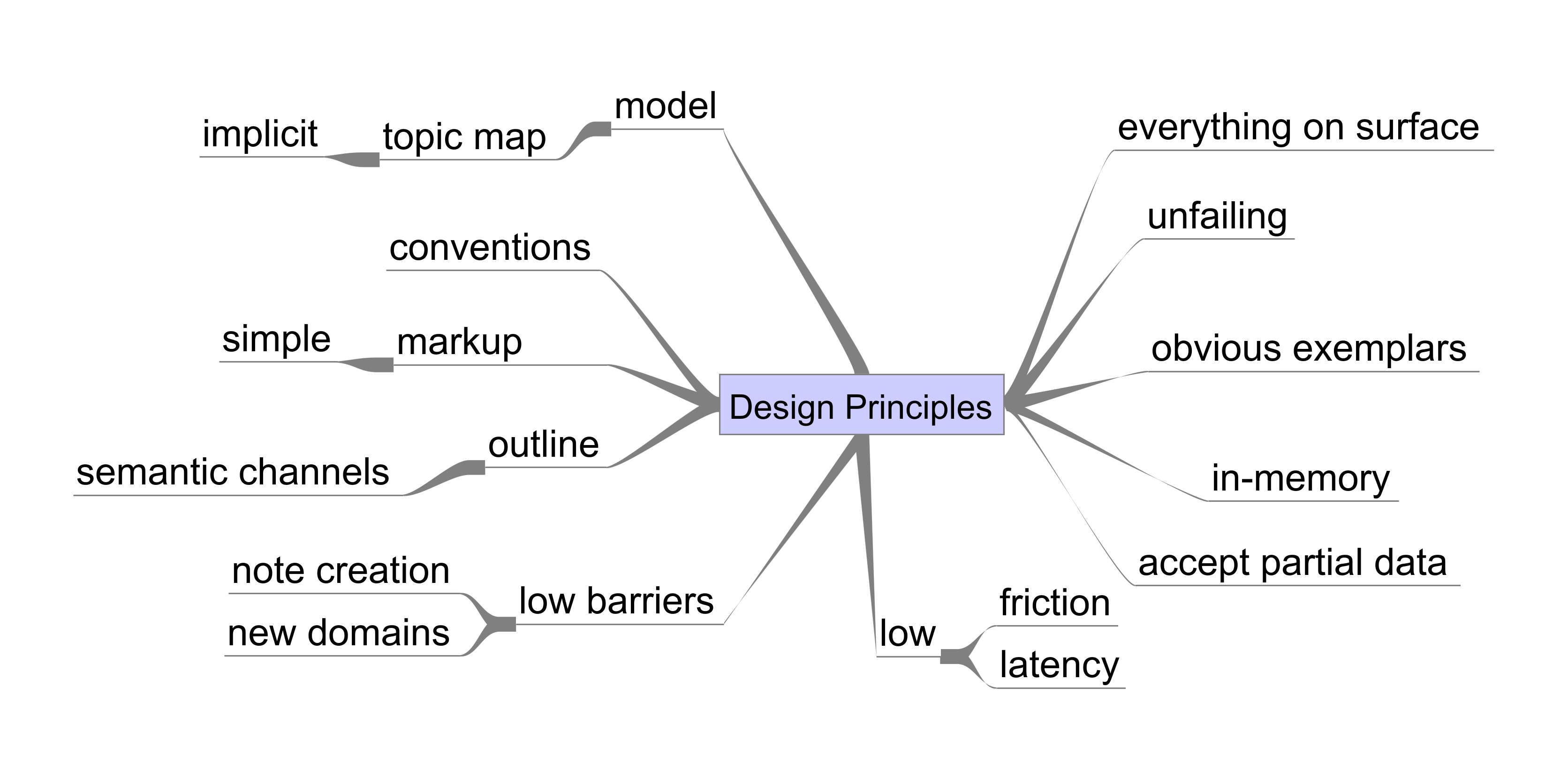
Everything On Surface means that there are no hidden data structures.
Implies text-only. So no embedded binaries such as images.
Needed so data can be exported to another system if needed.
Unfailing means that no script failure will crash or cause corruption.
Partial Data means that optional items can be omitted without causing failures.
Outline means to include an integrated outline panel.
Most current systems do not use an outline.
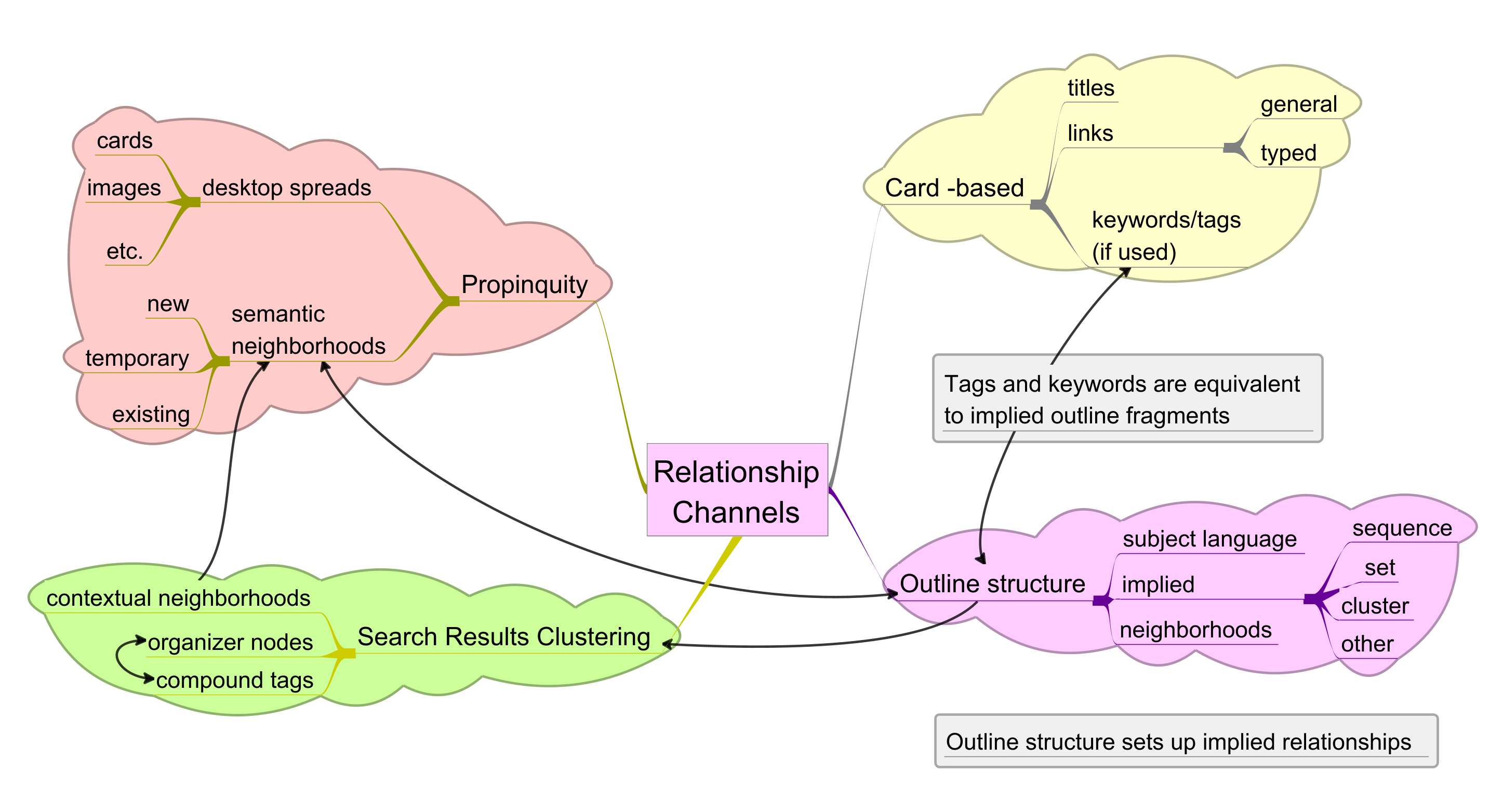
Outline provides extra semantic channels (see next slide).
Conventions in lieu of formality and ceremony.
Slide 14 of
19
Implementation
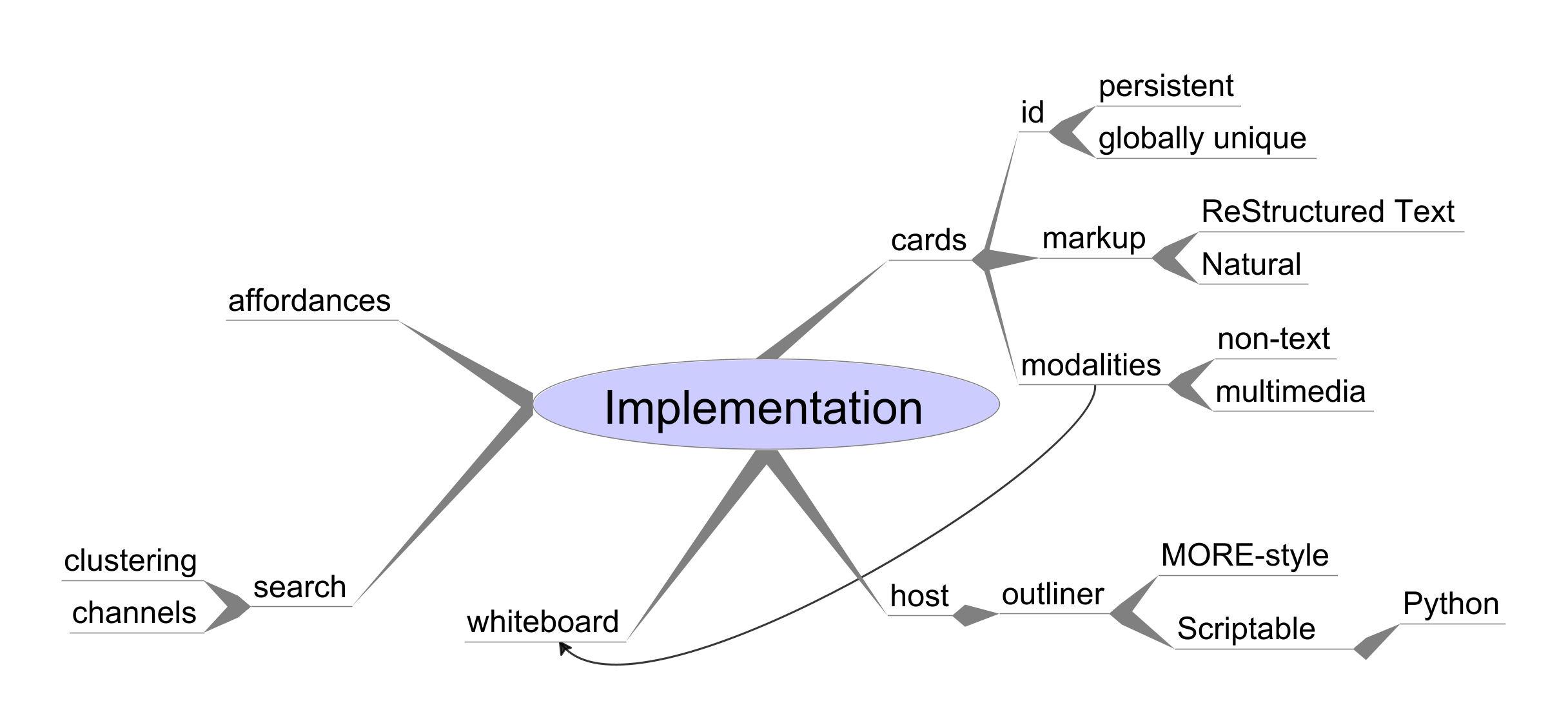
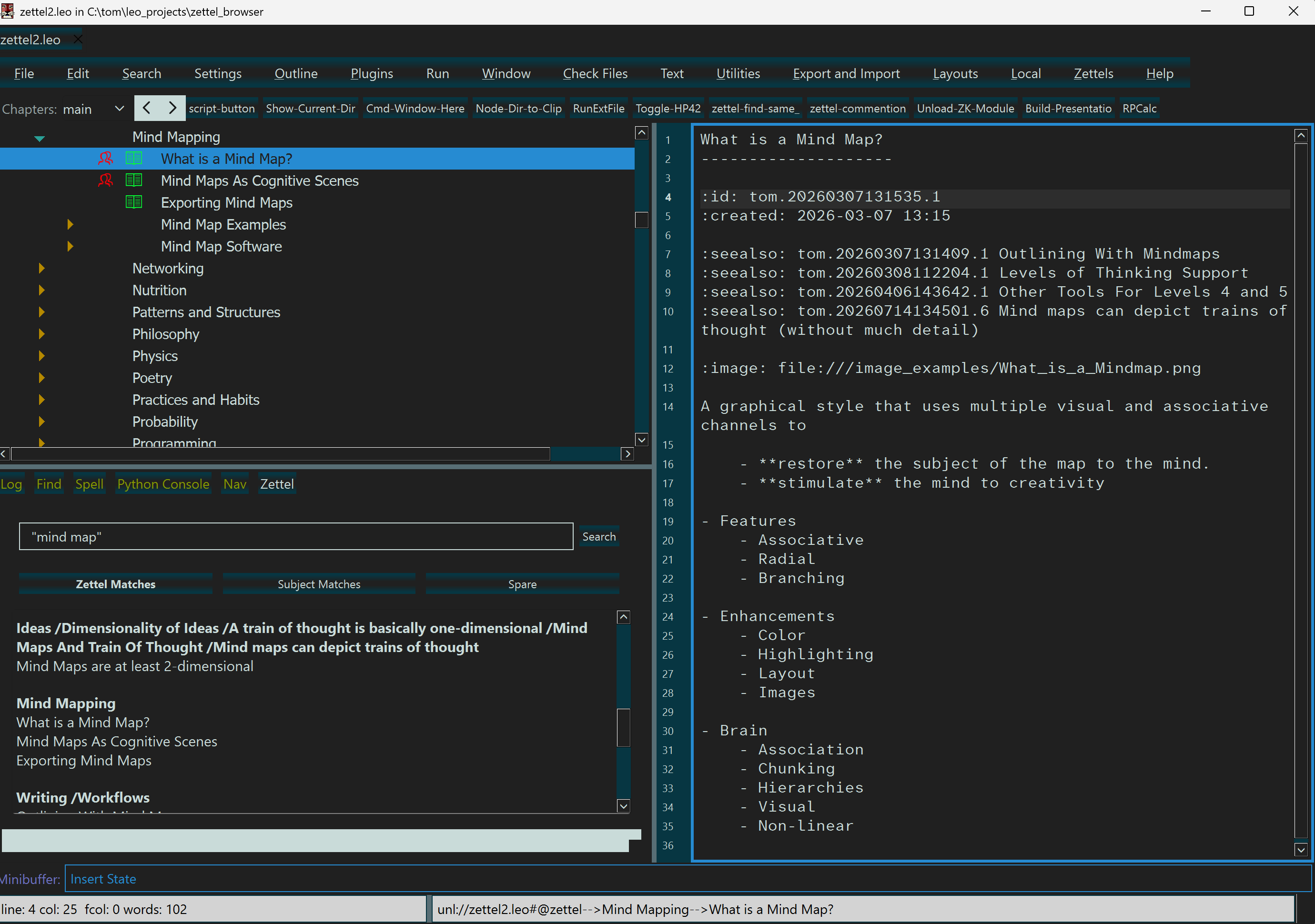
The ZK consists of a scripted overlay onto the host.
Host: the Leo Editor (PyPi, GitHub)
All cards and entire outline memory-resident.
Low latency, fast searches, easy to re-organize.
Whiteboard: Images, other cards, etc., can easily be opened as if on a whiteboard.
Markup is a tiny subset of Restructured Text.
(Many popular implementations use Markdown, one file/note, and no outliner)
Slide 16 of
19
Wrapup
Make the system fit human cognition;
Respect working memory, eliminate distractions;
Minimize cognitive friction.
Make the system do the right thing and stay out of the way;
E.g.,the Zettelkasten implementation uses no dialogs or popups.
Simplified markup can be very useful for personal applications; need not be very formal;
(Even these slides were produced using a highly simplified markup isomorphic to basic XML).
Even a data model can be implicit and flexible in a personal system.
Topic Maps are well-suited as a model in personal information systems.
Slide 19 of
19